Your footage,
as game cover art.
Turn a clip you filmed yourself into a hand-drawn illustration in the style of open-world game cover art: bold ink outlines, cel shading, saturated sunset colors. You redraw one start frame, then a video model carries the illustrated look through your whole clip, with every cut and every movement.
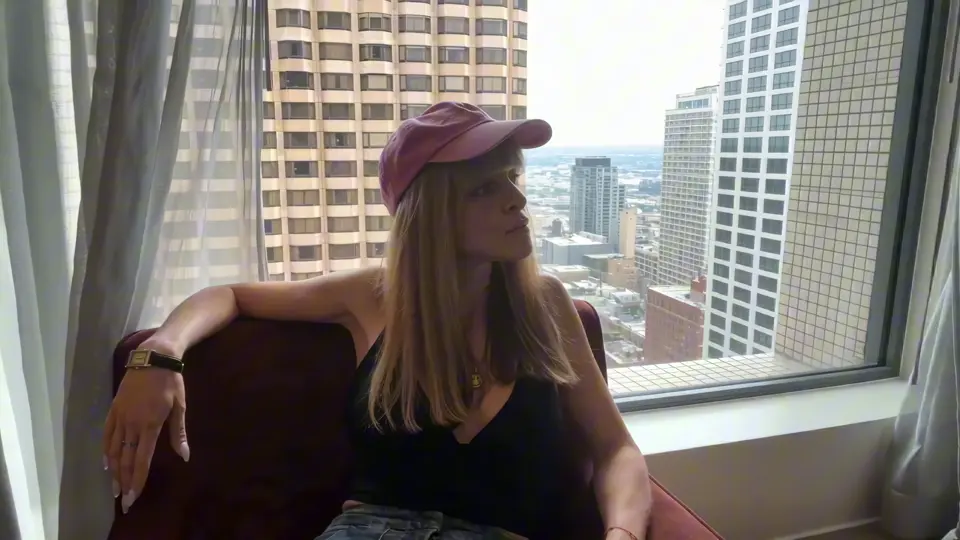 Before
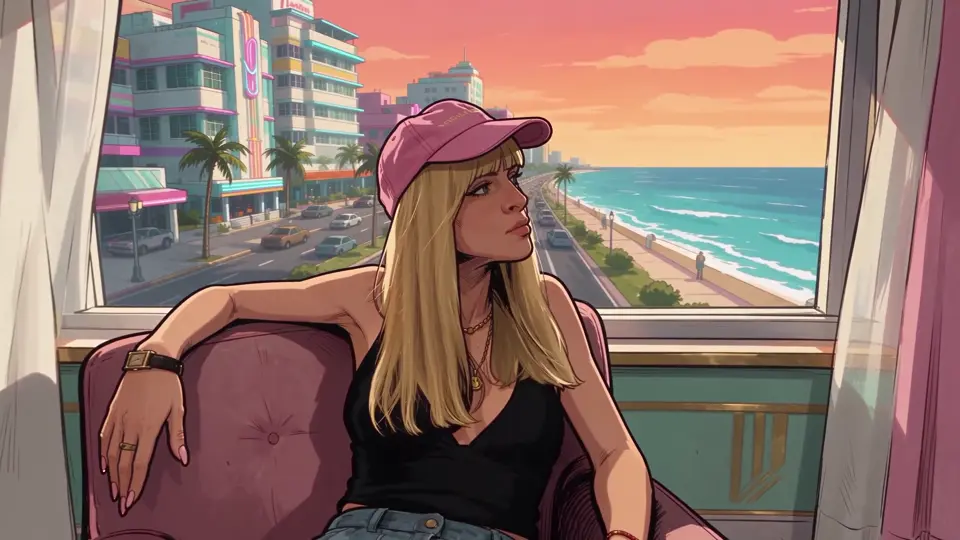 After
What you need
Three steps.
01Grab your start frame
Your FootageTake a clip you filmed yourself, with the face clearly visible and evenly lit. Avoid strong backlight on the face: the darker the face, the more the model invents.
Export one frame from the first second at full resolution (in After Effects: Composition → Save Frame As → File).
02Redraw the start frame
Seedream 5.5 EditUpload only your frame as the reference image, no extra style images. They pull the face away from yours. Set the output size to your clip's format (1920 × 1080 or 1080 × 1920), generate four versions and pick the one that looks most like you.
Redraw this photo as a stylized digital illustration in the style of painted video game cover art and loading screen artwork for an open-world crime game: bold black ink outlines, hand-painted cel shading with hard-edged shadow shapes, simplified graphic forms, high contrast, saturated warm colors, slightly exaggerated comic realism. It must clearly look like a drawn illustration, not a photo. Keep the woman recognizable as the same person: same face shape, blonde hair with bangs, pink cap, black top, wide jeans, jewelry, same pose, same camera angle and framing. Turn the room into a pastel art deco hotel suite with pink and mint walls and gold details, a dusty pink armchair, and through the window a Miami-style ocean boulevard with art deco hotels, neon signs, palm trees and an orange-pink sunset sky, all in the same illustrated style. No text, no logos.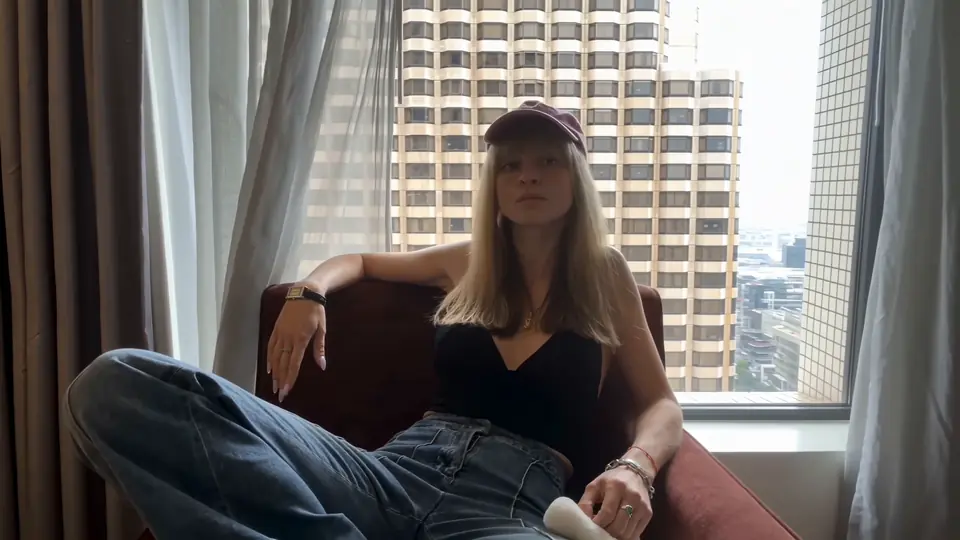 Your frame
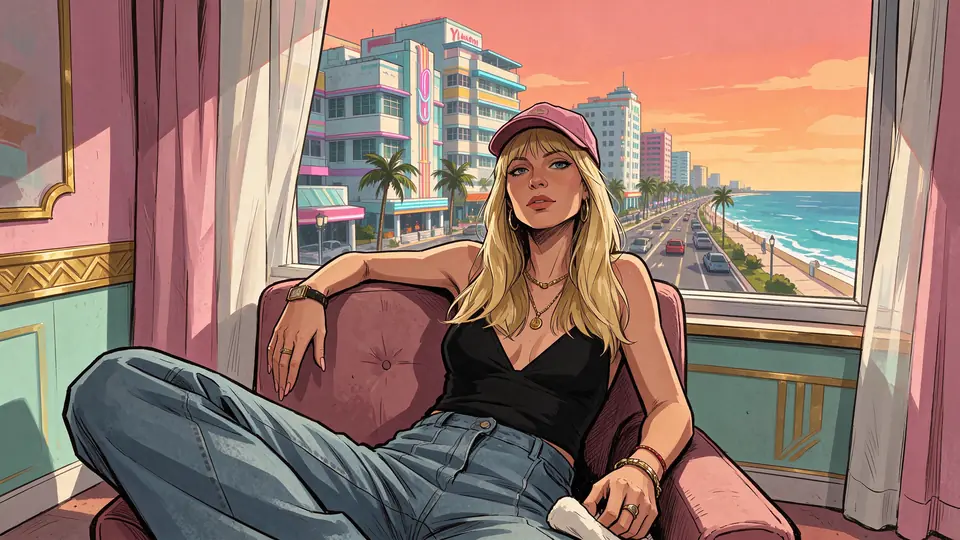 Redrawn

Pro TipSwap the details in the prompt for your own: describe your hair, outfit and pose so the illustration stays recognizably you. And don't name the game, describe the look instead: bold ink outlines, cel shading, art deco, palm trees, sunset.
03Animate with Seedance 2.5
Seedance 2.5 · EditingOpen Seedance 2.5 in Editing mode. Add your complete original clip, with all its cuts, as @Video1 and your redrawn frame as @Image1, then paste the prompt. Seedance keeps your camera angles, cuts and timing and redraws every frame in your illustration style.
Restyle @Video1 completely into the illustration style of @Image1: a stylized 2D digital illustration like painted open-world crime video game cover art, bold black ink outlines, hand-painted cel shading with hard-edged shadow shapes, simplified graphic forms, saturated warm sunset colors. Every frame must look like a drawn moving illustration, never photorealistic. Turn the room into the pastel art deco hotel suite from @Image1 with palm trees and the ocean boulevard outside the window. Keep the woman recognizable as the same person: blonde hair with bangs, pink cap, black top, wide jeans, jewelry. Keep the exact camera angles, framing, cuts, timing and all of her movements from @Video1. No text, no logos.Save credits: render in Draft mode first (480p, fast and cheap). When you like a version, finish it in 1080p with Draft Complete.
Join the
Newsletter.
Get new AI tutorials, workflows and tool tips first, plus the free Image to Prompt Analyzer and the Top Creative AI Tools list.