Your footage,
as a game cutscene.
Turn a clip you filmed yourself into a sunny, pastel open-world game cutscene. You restyle one start frame, then a video model carries the look through your whole clip. Your movement, your face, a completely new world.
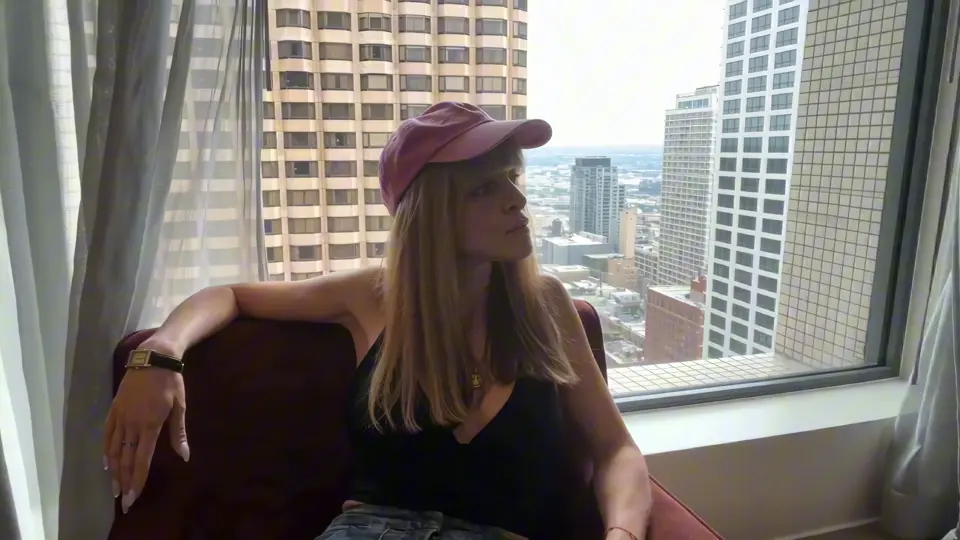 Before
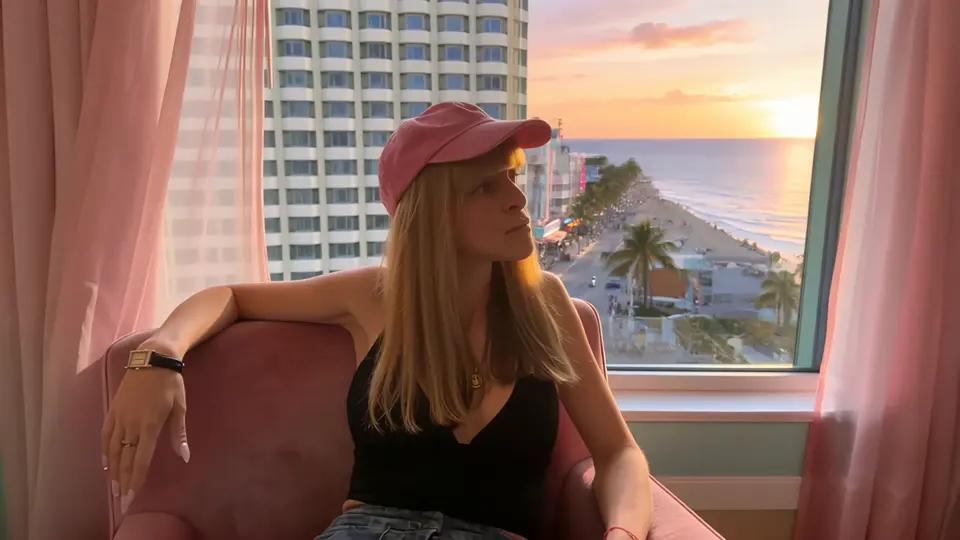 After
What you need
Three steps.
01Grab your start frame
Your FootageTake a clip you filmed yourself, under 30 seconds, with the face clearly visible and evenly lit. Avoid strong backlight on the face: the darker the face, the more the model invents.
Export one frame from the first second at full resolution (in After Effects: Composition → Save Frame As → File) and write down the timestamp, you need it again for Aleph.
02Restyle the start frame
Seedream 5.5 EditUpload only your frame as the reference image, nothing else. Extra reference images pull the face away from yours. Set the output size to your clip's format (1920 × 1080 or 1080 × 1920), generate four versions and pick the one with the most identical face and the same framing.
Edit this photo. Do not change the person at all: keep the face exactly identical to the photo, with the same facial features, face shape, eyes, nose, lips, hair and expression, the same pose, outfit and accessories, same camera angle and framing. Only brighten the face with soft, even, warm golden-hour light so it is no longer in shadow. Change only the room: turn it into a pastel art deco hotel suite with pink and mint walls with gold art deco panels, pink sheer curtains, a dusty pink velvet armchair, and through the window a Miami-style ocean boulevard with pastel art deco hotels, neon signs, palm trees, the ocean and an orange-pink sunset sky. Cinematic, vibrant pastel colors, photorealistic.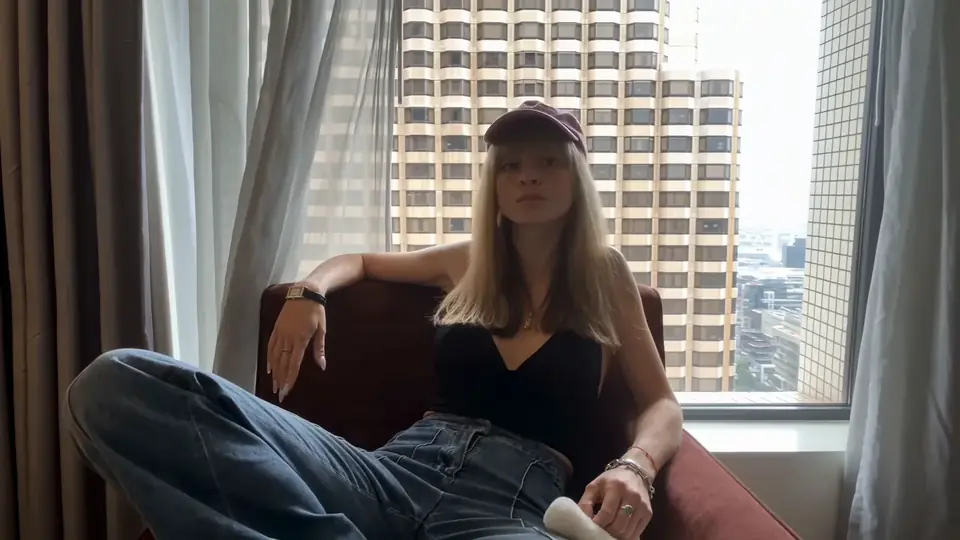 Your frame
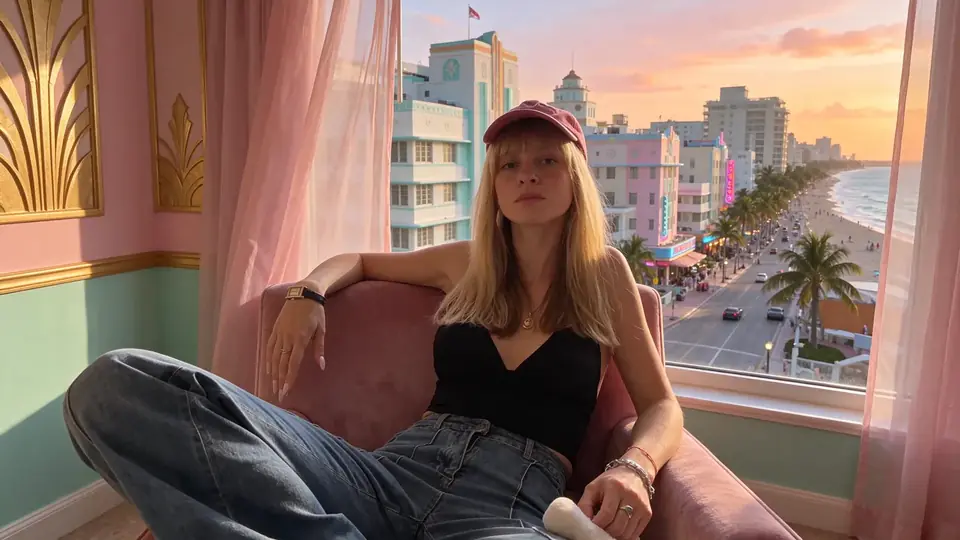 Restyled

Pro TipDon't name the game in your prompts. Describe the look instead: pastel art deco, neon, palm trees, golden hour, game cutscene. That gives you far more control over the result, and you can push it towards any city or era.
03Animate with Runway Aleph
Runway AlephIn Runway, open the Aleph video editor, upload your clip, add your restyled frame as a keyframe at the timestamp from step 1 and paste the prompt. Aleph keeps your motion and timing and restyles everything around it. Up to 30 seconds, 1080p.
Restyle the whole scene as a cutscene from a modern open-world crime video game set in a sunny Miami-like beach city: keep the person's face, pose, hair and outfit exactly as they are, with fresh healthy skin in warm golden-hour light, turn the room into a pastel art deco hotel suite with pink and mint walls, gold art deco panels, pink sheer curtains and a dusty pink velvet armchair, and replace the view outside the window with a Miami-style ocean boulevard with pastel art deco hotels, neon signs, palm trees, the ocean and an orange-pink sunset sky.Runway code ARIANE25 gives you 25 % off any plan.
Heads up: in shots that differ a lot from your start frame (close-ups, other angles), Aleph sometimes keeps parts of the original view in the window. Trim or reorder those shots in the edit.
Join the
Newsletter.
Get new AI tutorials, workflows and tool tips first, plus the free Image to Prompt Analyzer and the Top Creative AI Tools list.